ENTIRE LinkSet up, control and update your ENTIRE from your phone, quickly and without hassle.
The app finds your ENTIRE, joins its Wi-Fi and loads the control page by itself. When the signal weakens it warns you before the page starts to lag, and a firmware update takes a few taps: no zip to download, no file to upload by hand. The app is optional, though: you can still configure the ENTIRE from any device with a web browser.
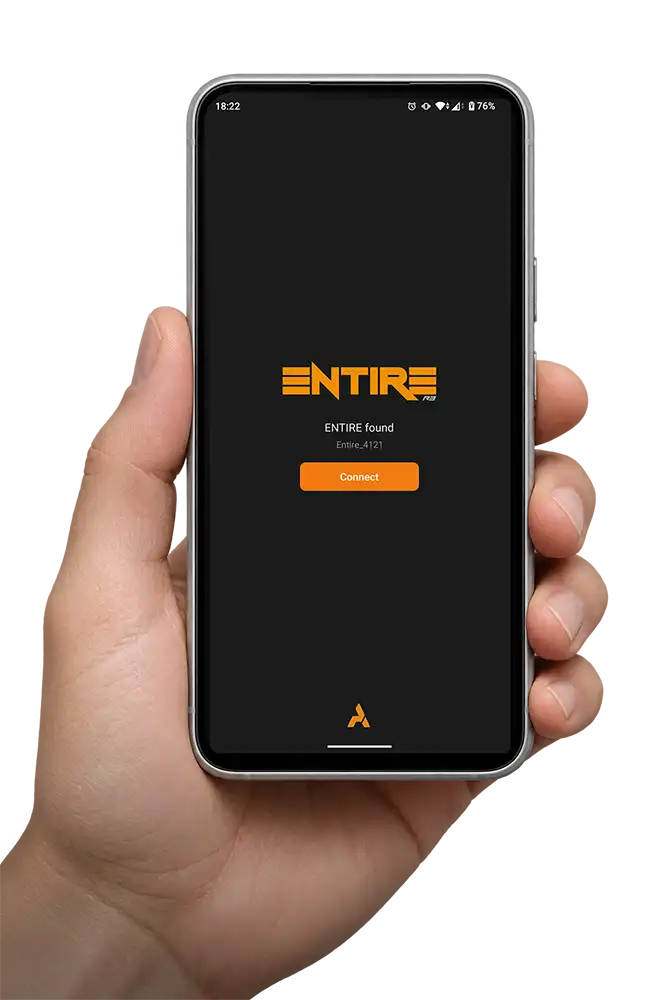
Open the app and it finds everything automatically
No Wi-Fi menus to dig through and no addresses to type. The app looks for your ENTIRE, asks you once whether to connect, and takes care of the rest, all the way to the control page.
- Open the app. It starts looking for your ENTIRE straight away.
- Tap Connect when your ENTIRE shows up. With several nearby, you pick yours from a short list.
- That’s it. The control page opens by itself.
Faster on every start after the first. The app keeps the control page on your phone, so once it has loaded for a given firmware version, later starts take only about two seconds.
Update the ENTIRE in four taps
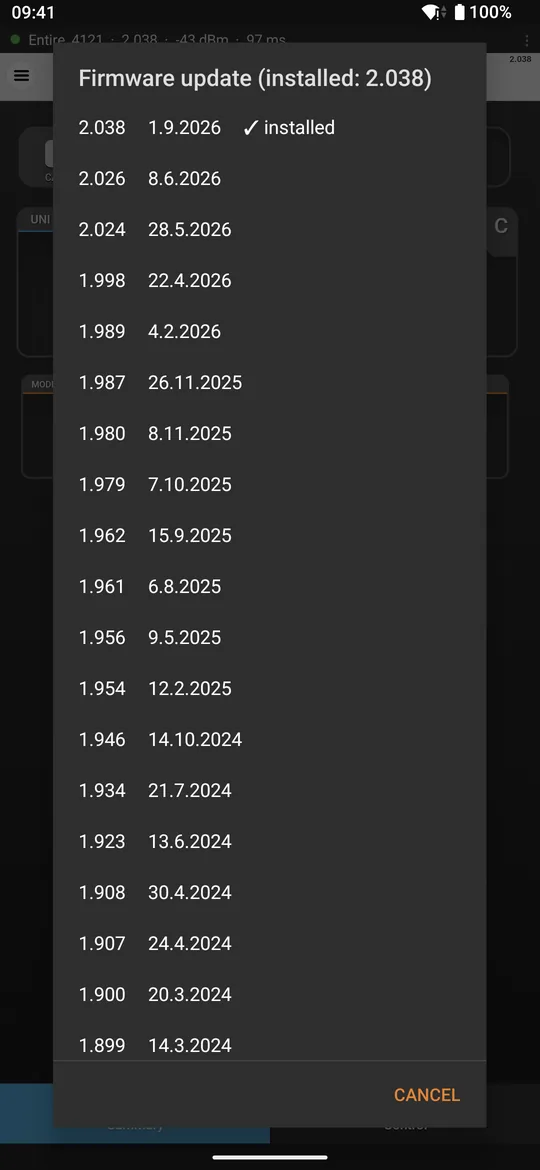
The app fetches the list of all available firmware versions and lets you choose one. It then downloads your pick straight from our server. There’s no zip to hunt for on the website, nothing to unpack and nothing to upload by hand.
- Open the menu and tap Firmware update.
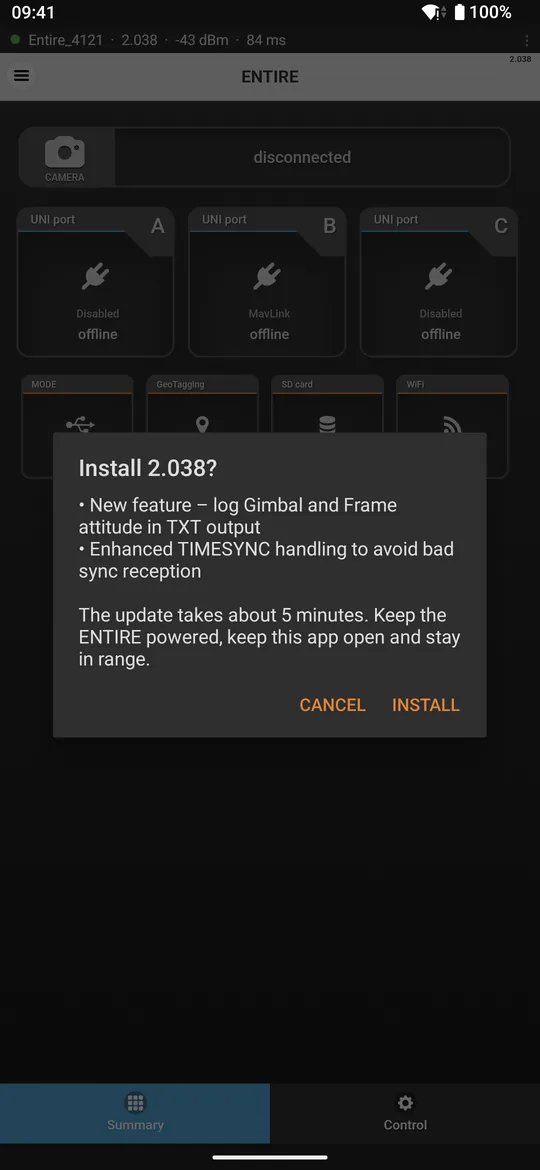
- Pick a version. The newest is on top, with its release notes.
- Tap Install.
- Wait about five minutes. The app sends the firmware, the ENTIRE restarts on its own, the app reconnects and tells you when it’s done.
The phone needs Internet for the download. The app can stay connected to the ENTIRE and to the Internet at the same time: over mobile data, or over a second Wi-Fi on supported devices. Keep the ENTIRE powered and the app open until it says it’s finished.
ENTIRE Link for Android
Get the app for your phone and let it find, connect and update your ENTIRE. It works with Android 8.0 or newer.
ENTIRE Link is made by AirPixel Tech s.r.o. for the AIR Commander ENTIRE.