Land. Pull the card. Start processing.
ENTIRE R3 writes GPS or RTK position and camera attitude into the photos on the camera’s own card, so there’s no separate geotagging step at the desk. It works with Sony, ADTi, PhaseOne, ViewPro, Canon and others, on DJI or PixHawk airframes.
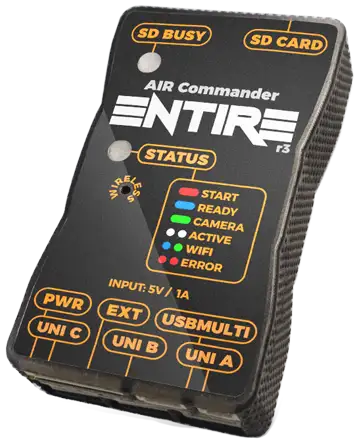
Built to fit your setup, not the other way round.
No two mapping rigs are wired the same. One flies a PixHawk with an EMLID receiver, the next a DJI airframe with its own RTK, a third feeds plain NMEA from a separate GNSS. ENTIRE takes position from MAVLink, the DJI API, EMLID ERB or NMEA, attitude from the gimbal or the airframe, and a trigger from the mission, the transmitter or its own distance timer, so you configure it around the hardware you already have.
Precise
RTK position corrected from the antenna onto the sensor for every frame, exposure caught on the hot shoe, and a GPS link delay you calibrate once. Crews who do that calibration land inside 3 cm.
Flexible
DJI or PixHawk, GPS or RTK, EMLID or plain NMEA. Six camera families are tagged through their own native route, and any other camera through an event log. One device can move between the aircraft in your fleet.
Finished when you land
No log matching, no counting triggers and no desktop geotagger. Images come off the card with position and camera angles already in them; tagging 100 photos takes under 8 seconds, RAW or JPG.
Direct georeferencing, straight out of the camera.
ENTIRE R3 takes position, time and attitude from the drone and writes them into the image’s own metadata, which is where photogrammetry software looks for them. There’s no separate file to import or align.
- ✓Position & heading: latitude, longitude and altitude from the flight controller, basic GPS or RTK. Fly RTK and you get centimetre-level geotags with heading.
- ✓Camera attitude: absolute Roll, Pitch and Yaw from the gimbal, or from the airframe on fixed mounts, written to the XMP of each photo.
- ✓Time: GPS date and time converted to your local zone, taken from the GPS stream itself.
- ✓Subject distance: live laser range from a LightWare rangefinder, tagged per photo. Sony and ADTi cameras only.
- ✓Written at full resolution: coordinates to 0.00000001° (roughly a millimetre) and altitude to 0.1 mm, so the file format never limits accuracy. How accurate the numbers are depends on your GNSS.
Metadata written to every image
GPSLongitude : 14.42861104 E
GPSAltitude : 118.4 m
GPSImgDirection : 271.6° true
GPSDateStamp : 2026:07:21
GPSTimeStamp : 09:14:02
SubjectDistance : 42.7 m — laser CAMERA ATTITUDE — XMP CameraYaw : 271.6°
CameraPitch : 0.0° — nadir
CameraRoll : 0.3°
The exact tag set depends on the camera family; see the comparison below. Attitude reflects gimbal orientation whenever a supported gimbal is connected.
Every camera family gets tagged its own way.
A Sony body, a PhaseOne back and a ViewPro payload use completely different protocols, so ENTIRE handles each one differently. Position and accuracy are the same in every case. What changes is how the data gets into the file, and how much camera control you keep while it does.
Sony: A7 · A9 · A1 · A6xxx · A5xxx · RX · ILX-LR1
Direct EXIF · USBSony gets the most complete geotagging support. ENTIRE uses the camera’s USB port in Mass Storage mode, records every capture, and writes position and angles into the files on the card after you land. RAW and JPG both work.
Tags with
- GPS / RTK position, altitude and heading
- Gimbal or airframe Roll / Pitch / Yaw
- LightWare laser subject distance
- GPS date & time in your local zone
- ARW and JPG, both
Control while tagging
- Shutter, video and burst triggers
- Zoom, AF and power toggle
- IR button control on A7x / A9x / A6xxx
- Full exposure via SmartPlug or WiFi (depends on the series, see below)
Trade-offs
- Geotagging owns the USB port, so PC Remote USB control is off during a tagging flight
- Body must have the Multi (Multiport) terminal. ENTIRE can’t trigger a USB-C-only Sony in geotagging mode
- Camera must sit in Mass Storage with one card slot in use
- Tagging runs after landing, not mid-flight, and takes seconds
ADTi Surveyor: 24L V2 · 42L · 61S · 61S Pro
Direct EXIF · USB + serialADTi bodies have a serial control port and a USB port, so ENTIRE controls the camera on one and geotags on the other. You get the same tags as on Sony plus full exposure control during the flight, without a SmartPlug, IR LED or WiFi.
Tags with
- GPS / RTK position, altitude and heading
- Gimbal or airframe Roll / Pitch / Yaw
- LightWare laser subject distance
- RAW and JPG, both
Control while tagging
- Aperture, shutter speed and ISO
- Exposure compensation
- Shutter and video triggers, zoom
- All of it simultaneously with geotagging
Trade-offs
- Needs both connections wired: UNI port in ADTi Ctrl mode plus the Multiport cable to micro USB
- Surveyor 42S has no serial port and is not supported
- Tagging runs on landing, like Sony
PhaseOne Industrial: iXM and iX Link bodies
On the fly · iXLinkLarge-format metric mapping, and the quickest workflow on this page. ENTIRE sends the camera a live GPS stream and converted gimbal angles over iXLink, and the camera tags each frame as it writes it. There’s no session and nothing to wait for after landing.
Tags with
- GPS / RTK position, written in flight
- Camera angles from Gremsy, SimpleBGC or DJI Ronin, converted for the camera
- GPS time
Control while tagging
- All exposure parameters
- Focusing, manual and AF
- Triggering, all on the same link
Trade-offs
- Laser subject distance is not available on PhaseOne
- ENTIRE’s own geotagging session must be set to disabled. The camera writes the tags, so there’s no backup coordinate LOG
- Needs iX Capture configured once for the GPS and iX Link terminals
ViewPro: EO / IR gimbal payloads
On the fly · ViewLinkThese inspection payloads normally record no geodata at all. ENTIRE converts the drone’s GPS position and GPS time into ViewLink and the payload tags each frame itself. The same serial link also controls the payload: thermal, zoom, tracking and the rest.
Tags with
- GPS / RTK position, written in flight
- GPS time
- Attitude where the payload supports it
Control while tagging
- Visible / thermal / fusion switching
- Near-infrared and de-fog modes
- Digital zoom, focus, exposure correction
- Object tracking window, gimbal recentre, motor power
Trade-offs
- No laser subject distance tagging
- Tag set is whatever the payload’s own protocol accepts, not the full EXIF/XMP set of Direct EXIF
- No backup coordinate LOG, because the payload writes the files
Canon EOS R5
On the fly · WiFiOne WiFi connection does everything: full camera control and geotagging together, with no cable to the body and nothing to run after landing.
Tags with
- GPS / RTK position, altitude and heading
- Gimbal or airframe Roll / Pitch / Yaw
- JPG files
Control while tagging
- Aperture, shutter speed and ISO
- Exposure compensation
- Triggers and zoom, on the same link
Trade-offs
- JPG only; RAW files aren’t tagged
- No laser subject distance tagging
- EOS R5C is not supported
ShareUAV, Workswell Wiris & everything else
On the fly / Event TEXTShareUAV and Workswell Wiris payloads take a converted GPS stream and tag themselves, the same way ViewPro does. For any other camera on the aircraft (Nikon, Fujifilm, Z-CAM, Blackmagic, a cinema body), Event TEXT logs a coordinate for every trigger or hot-shoe pulse onto ENTIRE’s own card, and the free Windows geotagger applies it to the images afterwards.
Tags with
- Full position and attitude record per capture
- Works from a trigger or a hot-shoe pulse alone
- No USB or WiFi to the camera needed
Control while tagging
- Everything: ENTIRE isn’t busy talking to the camera for tagging, so all of it is free for control
- Any control input: SBUS, Jeti, Link, MAVLink, HereLink
Trade-offs
- Event TEXT needs one desktop pass to write the tags into the images
- Log and photos must stay together
A7, A6xxx or A5xxx: the tagging is identical, the control isn’t.
This is where people most often get caught out. On Sony bodies, Direct EXIF geotagging needs the camera’s USB port in Mass Storage mode, and Mass Storage has no exposure control. Every Sony gets the same geotags; how much of the camera you can still reach from the ground depends on the series and on whether you add a SmartPlug or WiFi.
Check the connector before anything else. ENTIRE triggers and geotags Sony cameras through the Multi (Multiport) terminal. A Sony body that offers only USB-C cannot be triggered by ENTIRE in geotagging mode. That’s a limit of the connector, not of the series. If your camera has the Multi terminal, everything below applies to it.
Identical on every Sony body
GPS/RTK position, altitude and heading · gimbal or airframe Roll/Pitch/Yaw · laser subject distance · GPS date and time · lever-arm correction · hot-shoe exposure sync · ARW and JPG. The A5100 on a light quad gets the same coordinates as an A7R IV on a heavy-lift.
| Sony series | Geotagging | USB only geotagging + basic control |
+ SmartPlug | + WiFi |
|---|---|---|---|---|
| A7 series · A9 series · A1 | Full | Photo & video trigger, zoom, AF, power toggle, IR button control | Full exposure aperture, shutter, ISO, exposure correction + all IR functions |
Full exposure + IR commands A7R III & A7R IV |
| A6xxx series | Full | Photo & video trigger, zoom, AF, power toggle, IR button control | No gain same as USB only |
Full exposure + IR commands A6400 & A6600 |
| A5xxx series | Full | Trigger, zoom, AF, power toggle | No gain same as USB only |
✗ |
| RX1 | Full | Trigger, zoom, AF, power toggle | No gain | ✗ |
| RX100 V / VII / VIII | Full | Trigger, zoom, AF, power toggle | Not compatible | Full exposure + power toggle |
| RX0 | Full | Trigger, zoom, AF, power toggle | Not compatible | ✗ |
Flying an A7 or A9?
Add a SmartPlug and you keep aperture, shutter, ISO and exposure correction from the ground while the camera geotags. This is the combination most mapping crews end up on.
Flying an A6400 or A6600?
Skip the SmartPlug; it adds nothing on A6xxx. Add WiFi instead and you get the same full exposure control alongside the geotagging.
Flying an A5xxx or RX?
Set exposure before take-off and fly it. You keep triggering, zoom, AF and power toggle, and the geotags are just as accurate, but you can’t change exposure in the air.
Every series above assumes a body with the Multi (Multiport) terminal; ENTIRE can’t trigger Sony cameras that only have USB-C in geotagging mode. SmartPlug and WiFi are optional additions, not requirements: geotagging works on the Multiport connection alone on every series listed. Sony bodies need PC Remote off, Mass Storage on and a single card slot in use during a geotagging flight.
What you get, and what you don’t.
Every camera family in one table.
| Sony | ADTi | PhaseOne | ViewPro | Canon R5 | Others | |
|---|---|---|---|---|---|---|
| How images get tagged | Direct EXIF on landing |
Direct EXIF on landing |
On the fly in flight |
On the fly in flight |
On the fly in flight |
Event TEXT desktop pass |
| Connection to the camera | Multi terminal USB-C only: no geotagging |
micro USB + serial | iXLink | ViewLink serial | WiFi | hot shoe or trigger |
| GPS / RTK position | ✓ | ✓ | ✓ | ✓ | ✓ | ✓ |
| Camera Roll / Pitch / Yaw | ✓ | ✓ | ✓ | payload dependent | ✓ | in the log |
| Laser subject distance | ✓ | ✓ | ✗ | ✗ | ✗ | ✗ |
| RAW as well as JPG | ✓ | ✓ | ✓ | payload format | JPG only | JPG via the tool |
| Full exposure control while tagging | series dependent | ✓ | ✓ | ✓ | ✓ | ✓ |
| Lever-arm offset correction | ✓ | ✓ | ✓ | ✓ | ✓ | ✓ |
| Hot-shoe exposure sync | ✓ | ✓ | n/a | n/a | n/a | ✓ |
| Backup coordinate LOG | ✓ | ✓ | ✗ | ✗ | ✗ | ✓ |
| Anything to do after landing | Nothing | Nothing | Nothing | Nothing | Nothing | one desktop pass |
Position accuracy is the same in every column, because it comes from your GNSS, the lever-arm correction and the link-delay calibration, not from the camera. The camera decides which fields it will accept and how much of it you can still drive from the ground.
Camera angles are half the georeference.
Position tells the reconstruction where the camera was, and attitude tells it where the camera was looking. With both, bundle adjustment has less to solve, which helps most over low-texture surfaces like fields and water where tie points are scarce.
From your gimbal
Gremsy gimbals over their COM port, SimpleBGC-powered gimbals over MAVLink, DJI Ronin through the DJI flight controller. ENTIRE reads the true camera attitude, not an assumption from the airframe.
Or from the airframe
Fixed-mount payloads and gimbal-less builds are covered too: switch on frame angles and ENTIRE tags the drone’s own attitude instead of a gimbal’s.
In the convention you process in
Pitch is written either Pix4D-style (horizon 90°, straight down 0°) or in the legacy convention where the horizon is 0° and nadir is 90°. It’s one setting, so you don’t remap columns later.
Laser distance in the EXIF
Connect a LightWare rangefinder such as the LW20, align the beam with the camera, and every frame is tagged with the measured distance to the subject. On a facade that lets you measure a crack instead of estimating scale, and height above ground becomes a reading rather than a guess. Sony and ADTi cameras only.
An RTK fix is not a geotag yet.
Your receiver solves for the antenna, not the sensor, and the position that reaches ENTIRE is always a few milliseconds old. Both errors are systematic, and ENTIRE corrects both. Crews who calibrate the link delay properly land inside 3 cm.
Coordinates that point at the camera, not the antenna
The GPS antenna and the camera sit in different places on the airframe. ENTIRE combines the flight controller’s attitude (roll, pitch and yaw of the airframe) with the live gimbal angles to work out where the camera is relative to the antenna, and it redoes that calculation for every frame. The tagged position is the camera’s, not the antenna’s, even in a banked turn. Setup is three offsets in millimetres, entered once.
This animation is a simplified demonstration. It shows only the antenna-to-camera lever arm. When the camera is on a gimbal, ENTIRE also accounts for the gimbal’s own rotation, which is a second lever-arm calculation on top of this one.
Catching the exact moment
- ✓Hot-shoe exposure sync. Wire the camera’s hot shoe to the EXT port and the position is stamped when the shutter actually opens, not when the trigger was asked for. On builds where an autopilot or a PPK unit shares that line, the detection can move to the USBMULTI connector instead.
- ✓Shutter delay tuning. No hot shoe on the body? Tune the delay by hand and ENTIRE compensates the same way.
Taking the lag out of the link
- ✓GPS link delay. The lag between the receiver and the flight controller is constant for a given build, so you can measure it. Fly the calibration mission, compare initial and computed positions in Pix4D, run the difference through AirPixel’s delay calculator and enter the result once.
- ✓Real-time position filtering. On modest GPS inputs ENTIRE can approximate the true capture position from the flight path either side of the trigger. On fused RTK above 50 Hz, leave it off; the raw data is already better.
Jobs one ENTIRE can cover.
Each card names the feature that makes the job possible. It’s the same €279 device for all of them.
Cadastral, stockpile and earthworks survey
RTK position corrected onto the sensor, exposure caught on the hot shoe and the link delay calibrated out. Images arrive georeferenced at centimetre level, and your ground control points check the result instead of carrying the whole solution.
Towers, chimneys, dams and facades
ENTIRE measures flown distance from GPS, vertical included, and fires at a fixed spacing, so a climb up a tower keeps the same overlap as a flat pass. Add a rangefinder and each frame also records how far away the wall was, so the free AirPixel Viewer can measure cracks and damaged areas straight from the photo.
PhaseOne iXM metric mapping
Feed the back a live GPS and attitude stream over iXLink and it writes the tags itself, frame by frame, while you keep exposure and focus from the ground. There’s nothing to match or wait for after landing.
Thermal and zoom payloads that know where they were
ViewPro, Workswell Wiris and ShareUAV payloads normally hand you frames with no geodata at all. ENTIRE converts the drone’s GPS into their protocol so every capture has a position, and the same serial link switches thermal, NIR, zoom and tracking.
One workflow across whatever the client books
An A7R on Monday, a Surveyor 61S on Wednesday, a thermal payload on Friday. It’s the same box and web interface each time, so crews learn it once and move it between airframes.
Cameras with no geotagging route of their own
Nikon, Fujifilm, Z-CAM or a cinema body: if it can pulse a hot shoe or take a trigger, Event TEXT logs a coordinate for every frame and one desktop pass writes them in. ENTIRE stays free to run the camera the whole time.
Set it up once; after that, every flight is two steps.
Wiring and configuration are done once per airframe. After that you fly, then process.
- Wire it onceFlight controller telemetry into a UNI port, camera on the Sony Multi terminal, WiFi or serial, hot shoe into EXT, gimbal onto a second UNI port. The Extension BOX takes you from three UNI ports to six when the build needs it.
- Configure it onceJoin the WiFi hotspot ENTIRE puts up and open the web interface: pick the mode for your camera, type the three offsets in millimetres, choose the pitch convention, set the link delay. There’s no app to install and no cable to plug in.
- Fly the missionTriggers come from the mission, the transmitter, HereLink, or ENTIRE’s own distance and interval triggers when the platform will not trigger a payload at all.
- Process straight awayPull the card. Images already carry position, altitude and camera angles, so Pix4D, Metashape, RealityCapture or your pipeline of choice reads them on import. To check the tags or take a quick measurement first, open the folder in the free AirPixel Viewer.
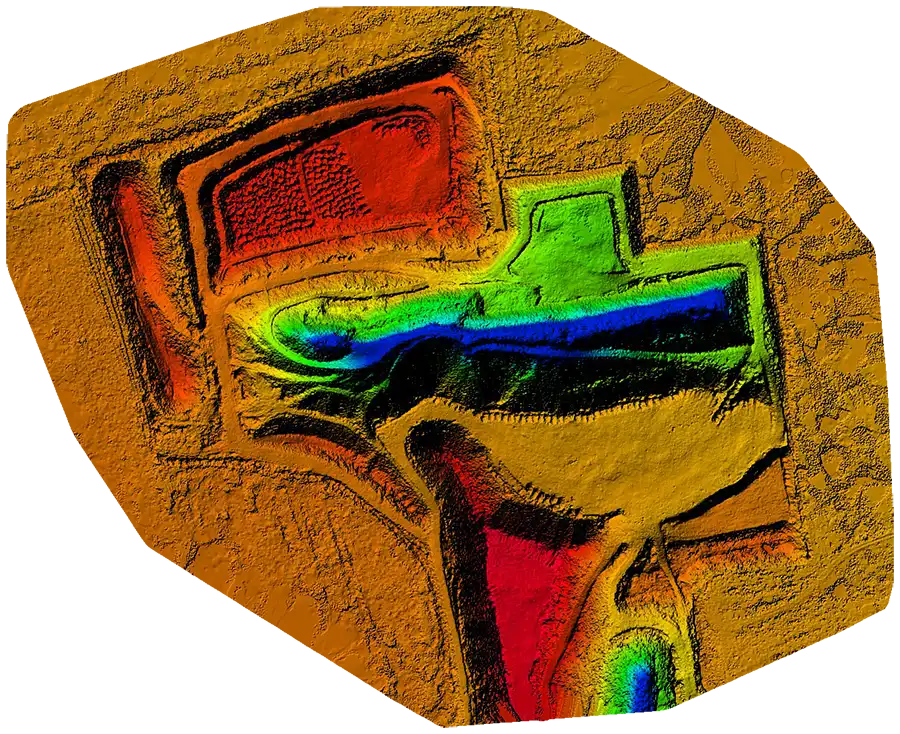
Four ways in, two ways out.
Position can come from four sources, and ENTIRE can pass it on to other equipment on board. That helps when the drone is somebody else’s platform and you’re only allowed to add a box.
MAVLink: PixHawk & others
Straight off a Telem port at 1.5 Mbaud MAVLink 2, with the camera type set to MAVLink so triggers are reported back. Aim for about 50 Hz position and 10 Hz attitude.
DJI API
On DJI airframes ENTIRE reads the DJI API directly, including gimbal attitude from a supported Ronin. A3, N3, M600 and M300.
EMLID ERB & NMEA in
Feed an EMLID receiver or any NMEA source straight into ENTIRE when the position you want to tag with is not the one the autopilot is flying on.
NMEA out
ENTIRE forwards coordinates to any third-party device on board as a configurable NMEA stream, so one GPS source can feed several devices.
MAVLink passthrough
Give another payload full drone telemetry, at its own baudrate, without opening a second connection to the flight controller.
Triggering, if you need it
Most crews trigger from the mission. When a platform will not, ENTIRE fires by flown distance (vertical included) or on a plain interval, and you can pause it in flight from your own transmitter.
Which one belongs on your mapping rig?
Both write geotags with the same accuracy. ENTIRE R3 is the universal device: six camera families, all the control links, and as much camera control as each body allows. TAG-E is built for the Sony ILX-LR1 only and adds survey features on top, such as PPK output, flight labels and SRT video tags.
| Geotagging feature | ENTIRE R3 | TAG-E |
|---|---|---|
| Camera support | Sony, ADTi, PhaseOne, ViewPro, Canon R5, ShareUAV, Workswell, plus any camera via Event TEXT | Sony ILX-LR1 |
| Geotagging accuracy | Same high accuracy | Same high accuracy |
| EXIF & XMP geotagging | ✓ | ✓ |
| Gimbal & frame attitude | ✓ | ✓ |
| Lever-arm offset calculation | ✓ | ✓ |
| Rangefinder distance tagging measure in AirPixel Viewer | ✓ | ✓ |
| GPS from DJI API | ✓ | ✗ |
| SBUS / Jeti / PWM / Link control input | ✓ | ✗ |
| WiFi configuration interface | ✓ | ✗ |
| Custom flight label in every image | ✗ | ✓ |
| SRT video geotagging | ✗ | ✓ |
| PPS GPS time synchronisation | ✗ | ✓ |
| PPK TXT output | ✗ | ✓ |
| Automatic camera clock from GPS | ✗ | ✓ |
| Best fit | Mixed fleets, mixed cameras, mapping plus everything else | Mapping fleets standardised on the ILX-LR1 |
Specifications
The box that controls your camera also does the tagging, so there’s no second device to mount.
Geotagging
- ✓Automatic EXIF & XMP: GPS/RTK position, altitude, heading, camera Roll/Pitch/Yaw
- ✓Four routes: Direct EXIF, on-the-fly protocol conversion, Full TEXT, Event TEXT
- ✓Real-time lever-arm (X/Y/Z) correction in millimetres
- ✓LightWare rangefinder subject-distance tagging (Sony & ADTi)
- ✓Hot-shoe exposure sync, or tuned shutter delay when there is no shoe
- ✓Backup coordinate LOG plus the free PC EXIF Geotagger for recovery
Connections
- ✓GPS input: MAVLink, DJI API, EMLID ERB or NMEA
- ✓Attitude input: Gremsy over COM, SimpleBGC over MAVLink, DJI Ronin, or airframe angles
- ✓Camera: USB/MULTI, WiFi, LANC, serial, iXLink, ViewLink, SmartPlug
- ✓Three universal serial IO ports, six with the Extension BOX
- ✓MAVLink passthrough and configurable NMEA output for other payloads
- ✓Built-in WiFi hotspot with web interface for setup and firmware updates
Recommended flight-controller setup for MAVLink builds: telemetry port at 1 500 000 baud, MAVLink 2, camera type set to MAVLink, and roughly 50 Hz position with 10 Hz attitude reaching ENTIRE.
Skip the geotagging step at the desk.
ENTIRE R3 controls the camera and geotags the images on the aircraft. Order one, or tell us your camera and airframe and we’ll tell you which cable set and setup you need.